



When helping takes the device out of their hands
Someone asks you how to send a photograph. You know the answer, so you reach for the phone, tap through the steps, and hand it back with the job finished.
It is a perfectly understandable shortcut. But there is a question worth asking afterward: did you solve the person’s problem, or did you leave them needing you to solve it again?
A project started by two Canadian teenagers offers a warmer, more interesting way to think about that moment. It began with older adults learning unfamiliar computer skills, then developed into something that could not be measured simply by whether an email arrived.
The project became the subject of the 2014 documentary Cyber-Seniors. This is an older story, not a new viral event, and some of its technology now belongs to a different era of the internet.
Its central question has aged much better than the software: what changes when people from different generations have a reason to keep learning together?
The answer starts before the film, with a family that had noticed something useful happening between visits. It was not a story about young people knowing everything or older people knowing nothing. It was about making contact easier.
The lesson began with a reason to connect
According to the filmmakers’ account of the project’s beginnings, sisters Macaulee and Kascha Cassaday launched their high school project in 2009. Their own grandparents had learned enough about the internet to communicate with the family through email, Facebook, and Skype.
Those tools helped them stay in touch across different cities and busy schedules. The sisters saw a practical benefit close to home and wondered whether other older adults could use similar help.
They developed a training manual and recruited friends to visit a retirement home twice a week. The people they worked with did not all arrive with the same goal.
Some wanted to see photographs of grandchildren on Facebook. Others were interested in online games, while email was a shared attraction, according to the project’s history.
That variety is easy to skip past. Yet it separates an invitation from an assignment: the starting point was something a person wanted to do, rather than a list of tools somebody else had decided they ought to master.
Older adults are not one uniform group of beginners. Someone can have decades of professional expertise and still need help with an unfamiliar interface; someone else may already be the person everyone calls for computer advice.
A useful lesson leaves room for both realities. Before explaining a feature, there is value in asking what the learner actually hopes to accomplish with it.
Then the learners had something of their own to show
Saffron Cassaday, the sisters’ older sibling, began filming the sessions. With support from their mother, Brenda Rusnak, the program expanded to a second retirement home, and the material eventually became a documentary.
The film follows people learning the basics, sometimes with uncertainty and sometimes with humor. A Hollywood Reporter review reproduced on the film’s website describes participants in two Toronto retirement communities working toward goals such as communicating with grandchildren.
But the story did not stop at receiving messages. Student-senior teams began making short videos in which older participants shared their own humor or knowledge.
The review describes an eighty-nine-year-old woman’s cooking video and a ninety-three-year-old woman’s rap performance. A competition for YouTube views brought another playful element into the project.
The cooking demonstration is part of the film’s history, not a recommendation to copy its unconventional equipment. The more useful point is that the people learning to use the internet were also finding ways to put something of themselves into it.
That is a meaningful change in the relationship. A lesson can begin with one person explaining the buttons, yet still make room for the other person’s interests, judgment, and sense of fun.
It would be too much to claim that every session produced a lasting friendship. A documentary is a selected account, not proof that a particular teaching method will work for everyone.
Still, these recorded examples offer something more specific than a cheerful slogan about bringing generations together. They show a shared activity becoming a place where the learner has something to contribute.
The important part was not who knew the buttons
The revealing shift is from doing something for a person to making space for them to do it themselves. That is an interpretation of the story, not a measured outcome, but it is one readers can put to practical use.
Imagine a relative who wants to send a photograph without waiting for your next visit. A helpful first step might be asking permission to sit beside them while they keep control of the device.
Explain one action, then let them try it. If they want a reminder, write down the sequence in words that make sense to them, rather than filling the page with unfamiliar technical terms.
None of this requires pretending that learning is effortless. Small screens, changing menus, unreliable connections, cost, and accessibility needs can create real obstacles that patience alone will not remove.
Support also needs boundaries. A family member or volunteer should not need someone’s password or verification code to explain a feature, and a lesson about sharing photographs should include a conversation about who will be able to see them.
The goal is not to push everyone online. It is to make a chosen task more manageable while respecting the person’s right to decline, pause, ask again, or prefer another way of staying in touch.
A better question for the next time someone asks
The work continued beyond the documentary. On its current About page, Cyber-Seniors says the nonprofit was founded in 2015 by the film’s creators and uses an intergenerational volunteer model for technology training.
It describes providing young people with lessons and activities to prepare them as digital mentors. Its website also offers routes to free technology support, including one-on-one calls and webinars; readers should check the current options directly.
That structure matters. Being comfortable with a device is not automatically the same thing as knowing how to teach another person to use it.
For families, the smaller version does not require launching a program. It can begin by replacing the quick takeover with a question about what the other person wants to be able to do next time.
You might still need to demonstrate a step, adjust an accessibility setting together, or find someone with more expertise. The difference is keeping the learner’s purpose at the center instead of treating speed as the only measure of help.
Think of someone who once let you try something slowly without making you feel foolish. What did they do that made it easier to ask the next question?
The next time someone hands you a device, that memory may be as useful as knowing where the right button is.
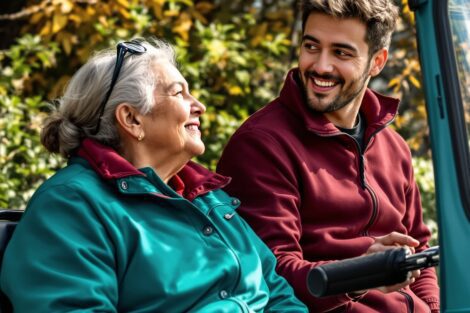
Image: AI-generated illustration of intergenerational technology learning, not a photograph of the people or sessions described.